Results List
The Search Results enables you to move, hide, or resize columns in the Results List. These values or sorting will be remembered during the current, concurrent, and next sign in sessions.

The order of appearance of the results set can be changed by simply dragging the columns to the required position.
- Records can be sorted by clicking on the column headings.
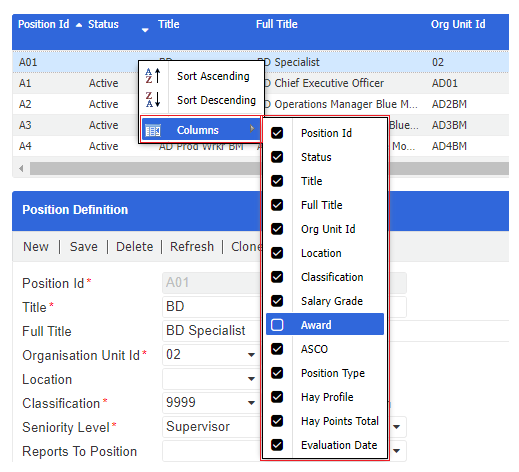
- Further options are available by clicking the button on the column heading.
- You can determine the sort order as well as choose the columns that will be displayed on the result set.
- Deselecting the column from the drop-down hides the column from the results list.
You can also resize or hide the entire Results List panel by dragging the resize arrow  to the required position.
 2024
2024